Unlocking LinkedIn Hacks to Find Your Ideal Candidate!

Vasco Alexandre
January 17, 2024

A few words before finding the ideal candidate…
Many companies are struggling to find the right candidate for the roleMost of the time, they don’t like to work with external recruitersThey prefer to find candidates by themselvesBefore outsourcing recruitment to an agencyAnd spending a lot of money…
Plenty of tools exist to source candidates directlyBut not all tools are equal and bring results
For example, LinkedIn Recruiter helps to attract candidatesBut scanning and qualifying candidates takes a lot of timeJob boards on your company's website also bring leadsBut usually not enough to find that perfect candidate match
Let’s explore some quick tips to improve your search
The easiest one
In your LinkedIn search bar, just input the role you're seeking.
For instance: “Compliance Officer”
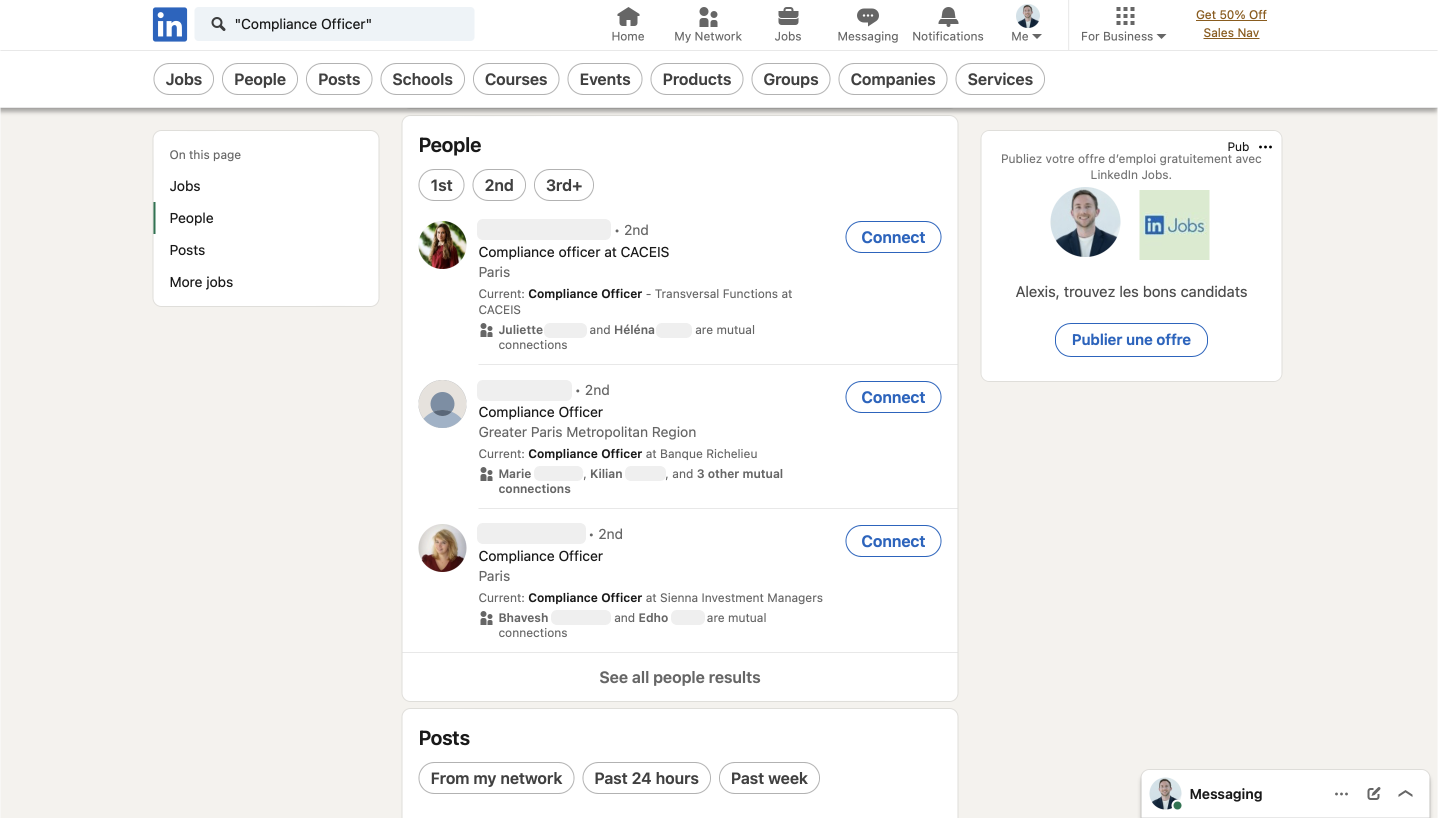
Search for relevant titles like 'Compliance Officer'.
Leverage Boolean Search
Ok, you’re now in the LinkedIn search bar. Select “People” on the top of the page and let’s discover a new hack.
Use Boolean search techniques (AND, OR, NOT) to refine your quest for specific skill sets or qualifications. Here are the key ones:
- “NOT”: Use to exclude specific qualifications or skills.
- “AND”: Add keywords like job titles and skills.
- “OR”: Include complementary skills or synonyms.
- Quotation marks (“”): Conduct an exact spelling search.
Let’s test it with this example: “Compliance Officer” AND “CAMS”
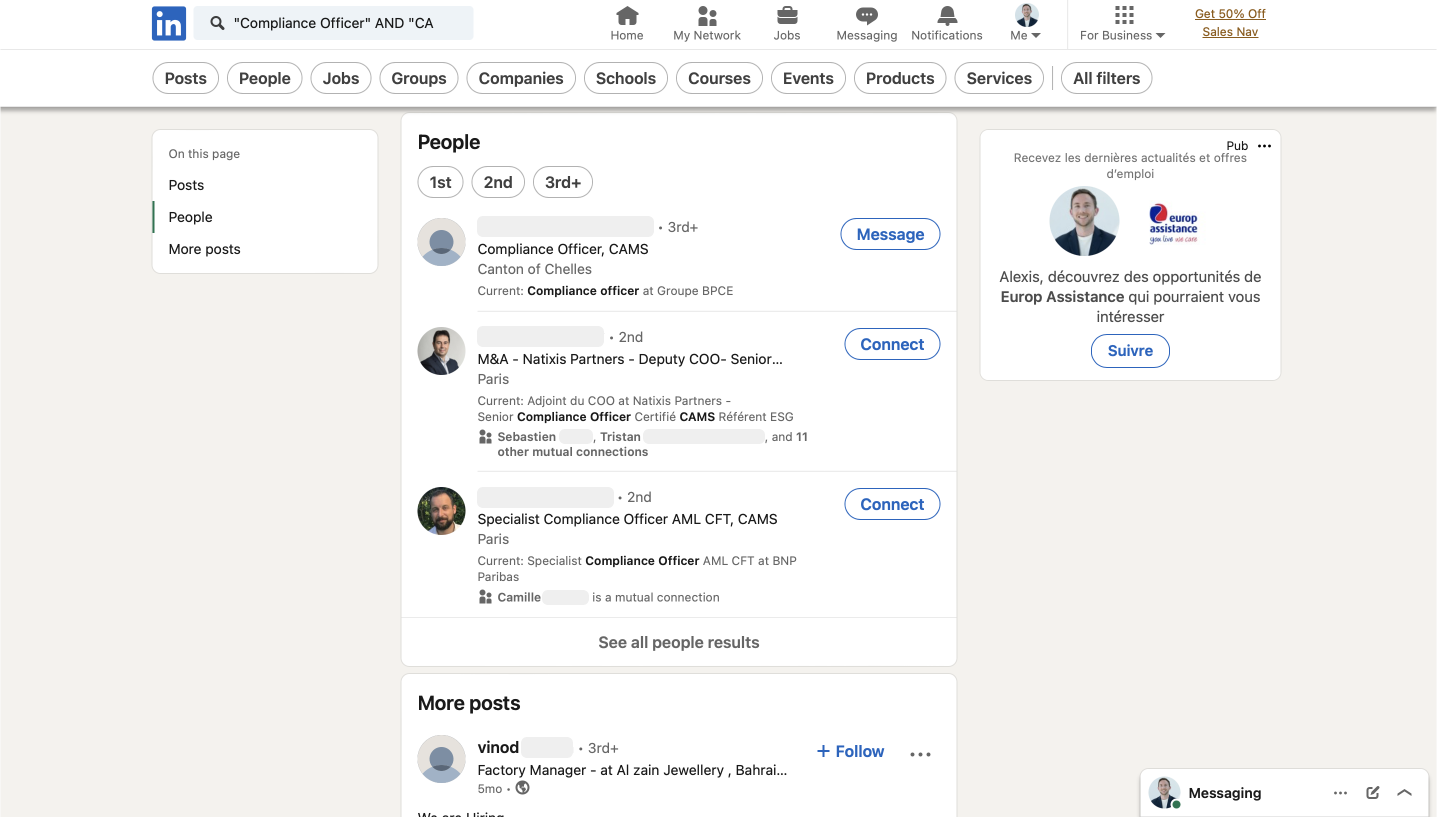
Use boolean search to narrow the results.
'Open to Work' Filter
As you master Boolean search, explore individuals seeking opportunities using this formula ⬇️
“[Role you want to Hire]” AND “Open to work”
For Example: “Compliance Officer” AND “#Opentowork”
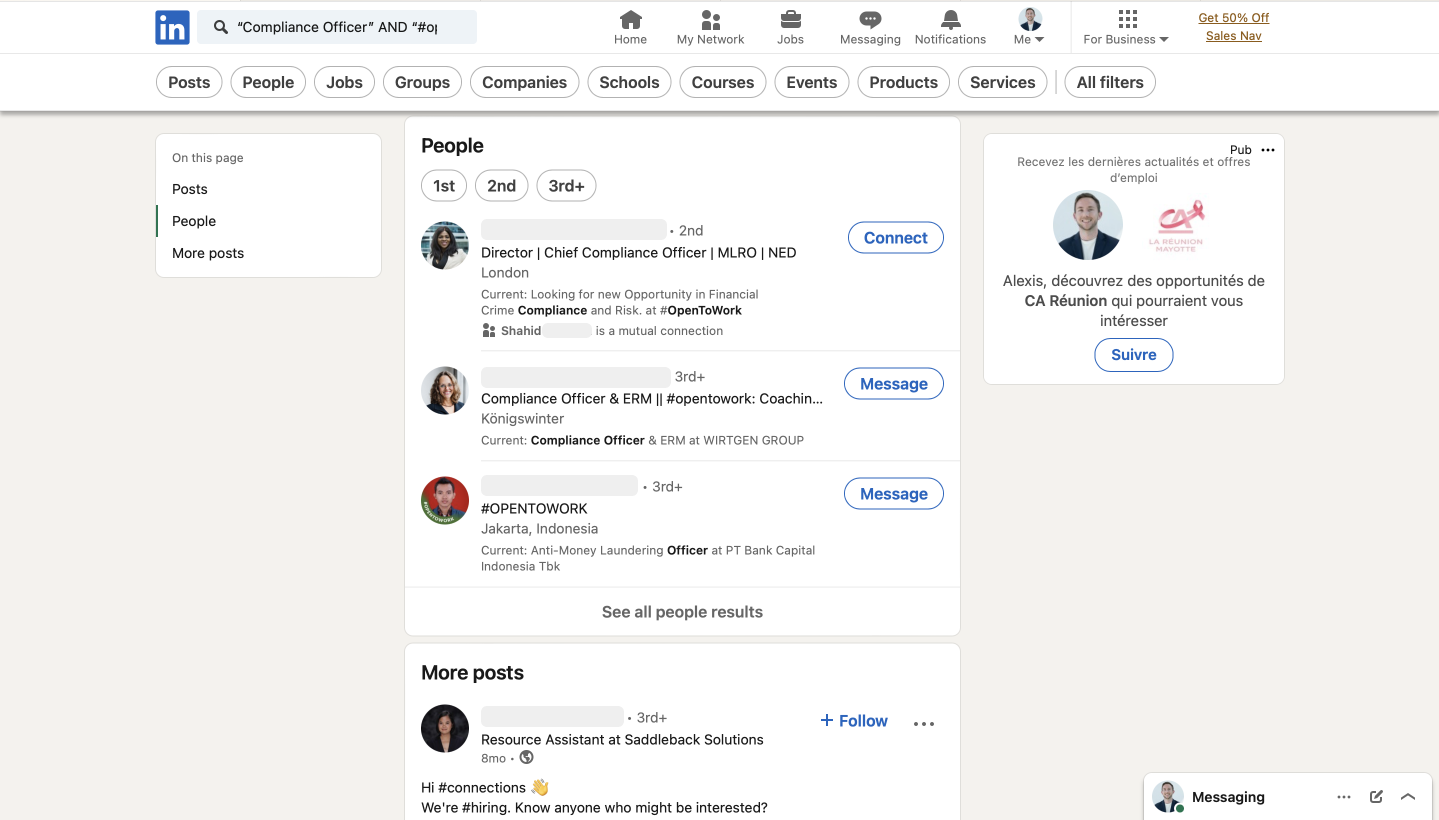
Leverage 'Open to work' filter.
Now, let’s use advanced search filters ⬇️
Once you've defined the profile you're seeking, using advanced filters helps you target precisely the profiles you’re looking for:
- Keywords: “Compliance”, “KYC”, “AML”, “MLRO”
- Job title: “Head of Compliance”, “KYC Analyst”, “Financial Crime Manager”
- Location: “London”, “Paris”, “New York”, “Vilnius”
- You can also filter results by company name, industry, language, education level, and past company.
Example: Let’s search for a “Head of Compliance” in the UK, within Financial Services, passionate about Fintech.
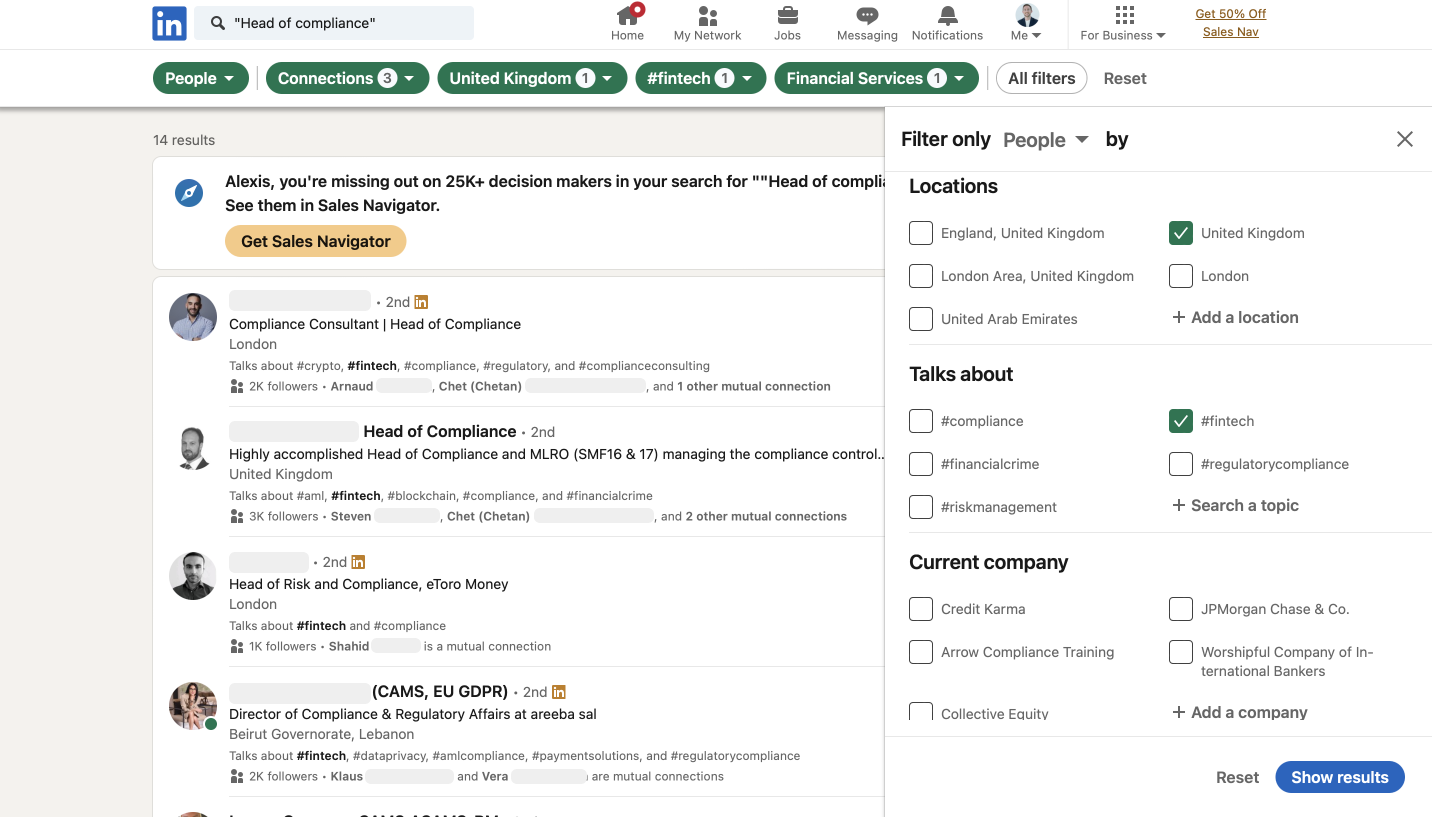
Advanced filters help you find precisely what you are looking for.
Need more tips?
The Power Of Keywords
In the “All filters” section, include specific words in the title segment. Many individuals highlight their certifications like “CAMS” or “CGSS” in their LinkedIn titles.
Explore Past companies
Seeking profiles with strong experience? Add big names or competitors in the “Past Company” section.
Using hashtags
2024 is the year of content on LinkedIn. Everyone's posting to promote their solutions or themselves (Am I doing the same? 🤔)
By adding relevant “#” in the search bar, find people publishing content, likely experts in their field. Great for finding more senior profiles.
Compliance LinkedIn groups
Groups are an infinite, highly qualified source of prospects. People gather around shared topics or interests. Isn’t that awesome?
Once you join, check the member list for potential talent.
Leverage your Network
This is something you might not often consider, but your LinkedIn network is a potential candidate pool.
Visit your network → Connections → Filters → “[Role you want to Hire]”
Pimp your Profil with #HIRING
It's easy to do and attracts candidates instead of you having to chase them down.
You can ask your colleagues to do the same and benefit from their network easily.
You are now ready to find the perfect candidate
LinkedIn is the most powerful tool to find people, and it’s totally free, so why not leverage it?
Once you've got them in your network, the real game is how you actually connect with them.
Interested in learning some extra tips to turn those potential candidates into valuable employees?
Give me a shout, and I'll hook you up with more content! 💌
Cheers,
Alexis




Ready for Anywhere?
Verify any business, enter any market, defend every decision. Every signal orchestrated, every decision traceable, from one platform.